


Photo App - AI Photo Enhancer
4.5318.00 Reviews
App Specs
- Version
- 1.2.0.5
- Updated On
- License
- Free
- Downloads
- 10,000,000+
- Developer
- HyperSoft AI - Apps Lab
- Categories
- Art & Design
- Platform
- Android, iOS
Screenshots


 Analysis by AppCompare
I’d approach Photo App - AI Photo Enhancer as a quick rescue tool for pictures that are worth keeping but not quite ready to share. It sits in the art and design space, yet you don’t need to think like an artist to use it: the appeal is letting an automatic edit do the first pass, then deciding whether the result suits the moment. That can be useful for everyday snapshots, older images, and travel photos where the lighting was less cooperative than the memory.
What the free option means in practice
The app is free to download, with optional in-app purchases priced from $0.99 to $19.99 per item. I’d treat that as a low-commitment way to see whether its editing approach fits your habits, not as a promise that every tool or use is free. If you only need occasional touch-ups, start with the free access and judge the results on your own photos before considering a purchase.
That distinction matters because enhancement apps can make a strong first impression, but the value depends on what you actually do with the finished image. A one-off correction to a family picture is different from regularly preparing photos for a small shop or a busy social account. I would not pay simply because an edit looks dramatic; I’d compare the original and result at normal viewing size and decide whether the change helps the subject.
Where its value is strongest
For a casual user, the most useful benefit is reducing the effort between choosing a photo and getting a more presentable version. The developer, HyperSoft AI - Apps Lab, positions this as a photo app centered on AI enhancement, restoration, and unblurring. Its broad audience is reflected in an Everyone 10+ content rating, while the 4.5 average from around 80,000 ratings and over 10 million installs suggest that many people have tried it. Those figures give a sense of reach, but they can’t tell you whether its style will match your own eye.
I’d use an enhancer like this selectively rather than run every image through it. A slightly soft portrait or a faded-looking keepsake may benefit from a careful improvement, while an intentionally grainy night photo could lose some of its mood if the software tries to clean it up. Keeping the original untouched is a sensible habit: it gives you a direct comparison and an easy way back if the processed version feels too polished.
First Impressions: The Interface
When you first open Photo App - AI Photo Enhancer, you’re greeted with a sleek and intuitive interface. It’s like walking into a well-organized art studio – everything you need is right where you expect it to be. The menu options are clear, and you won’t find yourself lost in a sea of buttons. It feels like the developers really thought about how to make this app as user-friendly as possible, which is a huge win in my book.
Features That Stand Out
The real magic happens when you start exploring the features. The app employs cutting-edge AI technology to automatically enhance your photos. And let me tell you, it’s like having a professional editor right in your pocket. Here are some of the standout features:
Worth Reading Before You Choose

Flipboard Shows What News Apps Must Do Beyond the Feed

Switching to Android Auto Means Rethinking Your Driving Routine

Google Calendar Makes a Crowded Week Easier to Manage

Ludo King Makes the Most of the Minutes Between Plans

Baby Panda World Brings Quick Play to Modern Phones, but Its Game Library Feels Busy

ESPN’s Live Game View Makes Following Close Games Easier
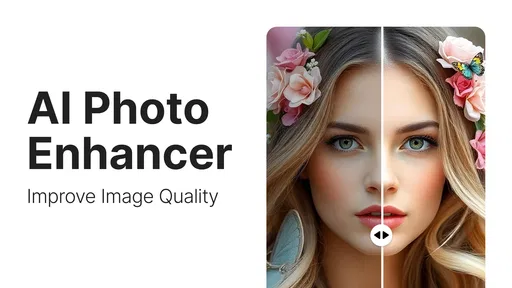
- Auto-Enhance: One tap and your photo is analyzed and improved, optimizing lighting, contrast, and color balance.
- Detail Enhancement: This feature sharpens the image, bringing out textures and details you didn’t even realize were there.
- Noise Reduction: Perfect for low-light photos, this tool reduces graininess while preserving the integrity of the image.
- Batch Processing: Got a bunch of photos? No worries. The app can handle multiple images at once, saving you valuable time.
Getting better results from an automatic edit
Even when an app does the technical work, I find that choosing the right source image is half the job. Start with the clearest version you have, rather than a screenshot or a copy that has already been compressed. An enhancer can make existing details easier to see, but it cannot reliably recover information that was never captured. If a face is heavily blurred or a small subject is far away, a stronger edit may create a more defined appearance without restoring the original detail.
For a group of similar photos, I’d test one representative image first. If the result keeps skin tones and background colors looking natural, then applying a similar treatment to the rest is more efficient. If that first attempt makes a bright sky look harsh or pushes a warm indoor scene toward an unnatural color, I’d stop and compare the other shots individually instead of treating batch work as a shortcut that always saves time.
A practical example: after a family gathering, I might have a dim picture of someone blowing out candles and a brighter portrait taken by the window. I’d try the low-light image first, check whether the faces still look believable, and leave the portrait alone if it already captures the moment well. That small decision prevents “enhancement” from becoming automatic over-editing.
Using the App: A Day in the Life
Imagine you’ve just returned from a wonderful weekend getaway. You have tons of photos, but the lighting wasn’t always in your favor. With Photo App - AI Photo Enhancer, you can breathe new life into those shots. Simply upload your images, and with a few taps, they’re transformed.
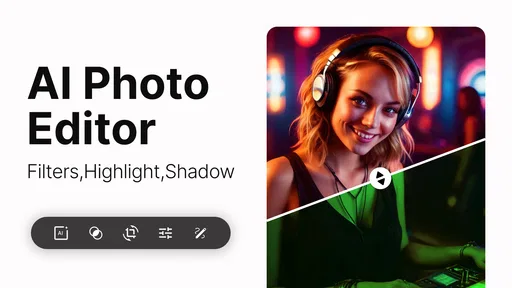
The app’s AI does most of the heavy lifting, but you also have the option to manually adjust settings if you’re feeling creative. The sliders for brightness, contrast, and saturation are responsive and give you the control you need without complicating things.
How it compares with other ways to edit
Compared with a general-purpose photo editor, an AI-focused enhancer is appealing when you want a quick first pass instead of learning a long chain of manual adjustments. That convenience is the trade-off: a one-tap result may not respect the look you intended, so it is worth checking faces, edges, and strong light-dark transitions before saving or sharing. If precise color grading, selective retouching, or a consistent visual style across a portfolio is your priority, a more hands-on editor is likely a better fit.
It also serves a different purpose from simply cropping or applying a preset in a social app. Those quick tools are enough when the image is already clear and you only want a framing or mood change. I’d reach for an enhancer when the underlying photo needs help, not as a mandatory step for every post. For archival work that requires faithful restoration, careful manual work may be preferable to an automatic interpretation, especially when preserving the original appearance matters more than making the image look crisp.
Practical limits and sensible expectations
The word “restore” can sound more ambitious than the job an automatic editor can reasonably do. I’d think of it as an attempt to improve the appearance of a photo, not a guarantee that a damaged, tiny, or badly blurred image will return to its exact original state. AI edits can also alter fine texture or make details look unusually smooth. Zooming in is useful for inspection, but I’d make the final decision at the size where the picture will actually be viewed.
Another trade-off is personal taste. A stronger contrast or sharper finish may look impressive in a preview yet feel less natural beside the unedited image. If the app offers manual adjustments, small changes are usually easier to judge than moving several controls at once. I’d change one thing, compare, and stop as soon as the photo feels clearer without losing its character.
People also often wonder whether the app is suitable for professional production or whether every restoration will be convincing. I’d use it as a convenient helper for personal photos and quick sharing, rather than assume it replaces a full editing workflow. Anyone who needs exact color consistency, detailed retouching, or dependable restoration for important archival material should inspect each result carefully and consider a specialist workflow instead.
Performance and Speed
One thing I can’t emphasize enough is the app’s speed. Thanks to its efficient processing, you won’t be left twiddling your thumbs while waiting for enhancements. Even with high-resolution images, the app performs smoothly, which is a relief for anyone who values their time.
It is currently at version 1.0.9.7 and runs on Android 7.0 or later. That makes it worth checking your device’s software before installing, particularly if you keep an older phone for photos. The app is free to start, but optional purchases range from $0.99 to $19.99 per item, so I’d look at the purchase choice shown in the app and decide whether the benefit is relevant to how often you edit. A higher price alone does not make an edit better.
Who is likely to get the most from it?
I’d recommend trying it if you keep a camera roll full of family moments, holiday pictures, or older images that seem a little dull beside newer shots. It is especially appealing if you want a simple starting point and do not enjoy adjusting several editing controls by hand. The app’s 4.5 average rating across around 80,000 ratings and its more than 10 million installs indicate broad adoption, but your own test image is still the best judge of whether its processing suits you.
I’d skip it, or keep it as a secondary tool, if you already enjoy detailed editing and want complete control over every change. It may also be the wrong choice when a photo’s blur or damage is severe, when an authentic film-like texture is important, or when a client expects a precise, repeatable finish. In those cases, a conventional editor or a human specialist gives you more room to make deliberate decisions.
End Result: Is It Worth It?
In the end, Photo App - AI Photo Enhancer delivers on its promise. It’s not just about making your photos look good; it’s about making them look their best. The ease of use combined with powerful features makes this app a must-have for anyone who loves capturing moments and wants them to shine.
If you’re ready to take your photography to the next level, give this app a try. It’s like having an art director, lighting expert, and editor all rolled into one. Trust me; your photos will thank you.
My more practical verdict is that it is worth trying when you have a specific photo problem to solve, not because every picture needs AI treatment. The free entry point keeps that trial low-risk, while the optional purchases make it sensible to decide based on repeat use rather than curiosity alone. I’d keep the original, test one image, and pay only if the app consistently improves photos I care about without pushing them away from the look I want.
Happy snapping!
Pros
- Easy-to-use interface for quick editing.
- Advanced AI enhances photos automatically.
- Supports high-resolution image exports.
- Offers a variety of creative filters.
- Regular updates improve features.
Cons
- Limited free version features.
- In-app ads can be distracting.
- Requires internet for AI tools.
- Some filters are subscription-based.
- Occasional lag on older devices.
FAQs for Photo App - AI Photo Enhancer
What features does the Photo App - AI Photo Enhancer offer?
The Photo App - AI Photo Enhancer offers a variety of features designed to improve your photos automatically. It includes AI-driven enhancements such as noise reduction, color correction, and sharpness adjustment. Additionally, the app provides tools for retouching portraits, removing blemishes, and enhancing details to make your images stand out.
Is the Photo App - AI Photo Enhancer suitable for beginners?
Yes, the app is user-friendly and suitable for beginners. It offers an intuitive interface with easy-to-use controls. The AI enhancements do most of the work automatically, making it accessible for those who may not have extensive photo editing experience, while still providing advanced options for those who want more control.
Does the app support batch processing for multiple photos?
The Photo App - AI Photo Enhancer includes a batch processing feature, allowing users to edit multiple photos at once. This is particularly useful for users who need to enhance a large number of images quickly. Simply select the photos you want to enhance, and the app will process them simultaneously, saving you time and effort.
Are there any in-app purchases or subscriptions required?
While the Photo App - AI Photo Enhancer offers a free version with basic features, some advanced tools and capabilities may require in-app purchases or a subscription. Users can choose to upgrade to access premium features, which can enhance the app's functionality and improve editing options.
How does the AI technology improve photo quality?
The app uses advanced AI technology to analyze each photo and apply enhancements based on its unique characteristics. This includes adjusting lighting, sharpening details, and improving color accuracy. The AI algorithms are designed to intelligently enhance photos without compromising their original quality, providing users with professional-looking results.


